Control panel
How it works
Explore the control panel. See camera views, site conditions, and recorded sessions in one place.
Sample screens show simulated data. We'll confirm the features and equipment your site needs during assessment.
What you can do
Ten views for pools, diving sites, docks, and fish farms.
01
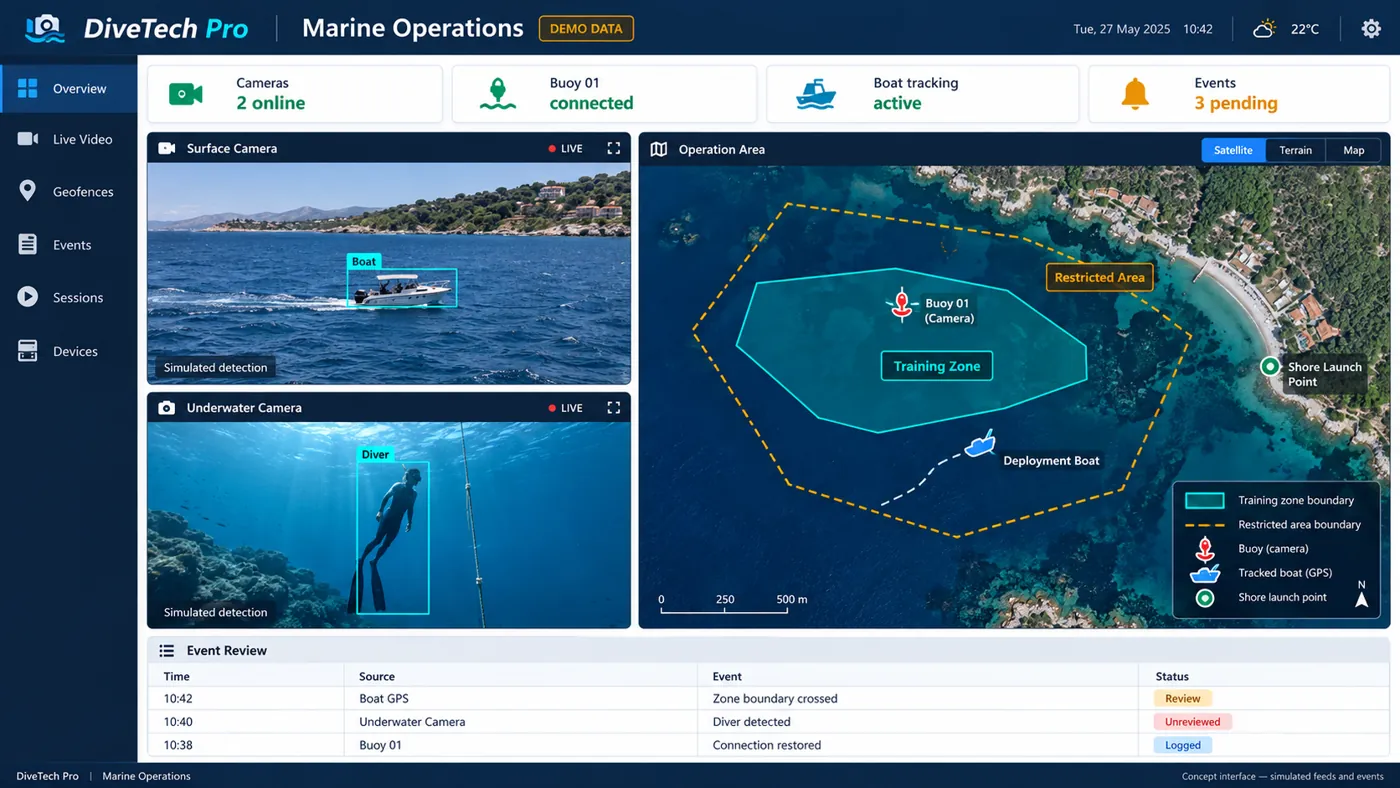
Operations screen
See surface and underwater cameras next to a site map.
02
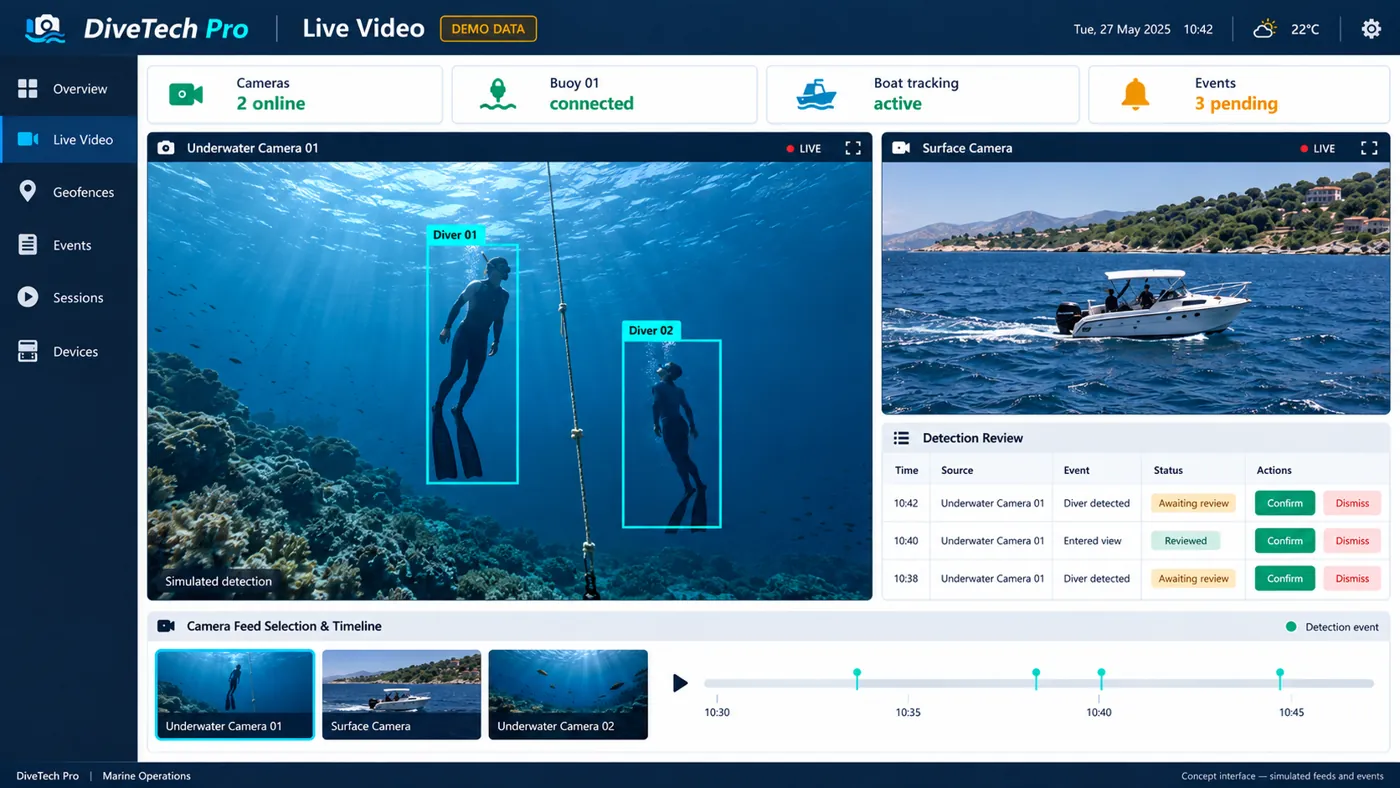
Watch the water
View underwater and surface cameras side by side.
03
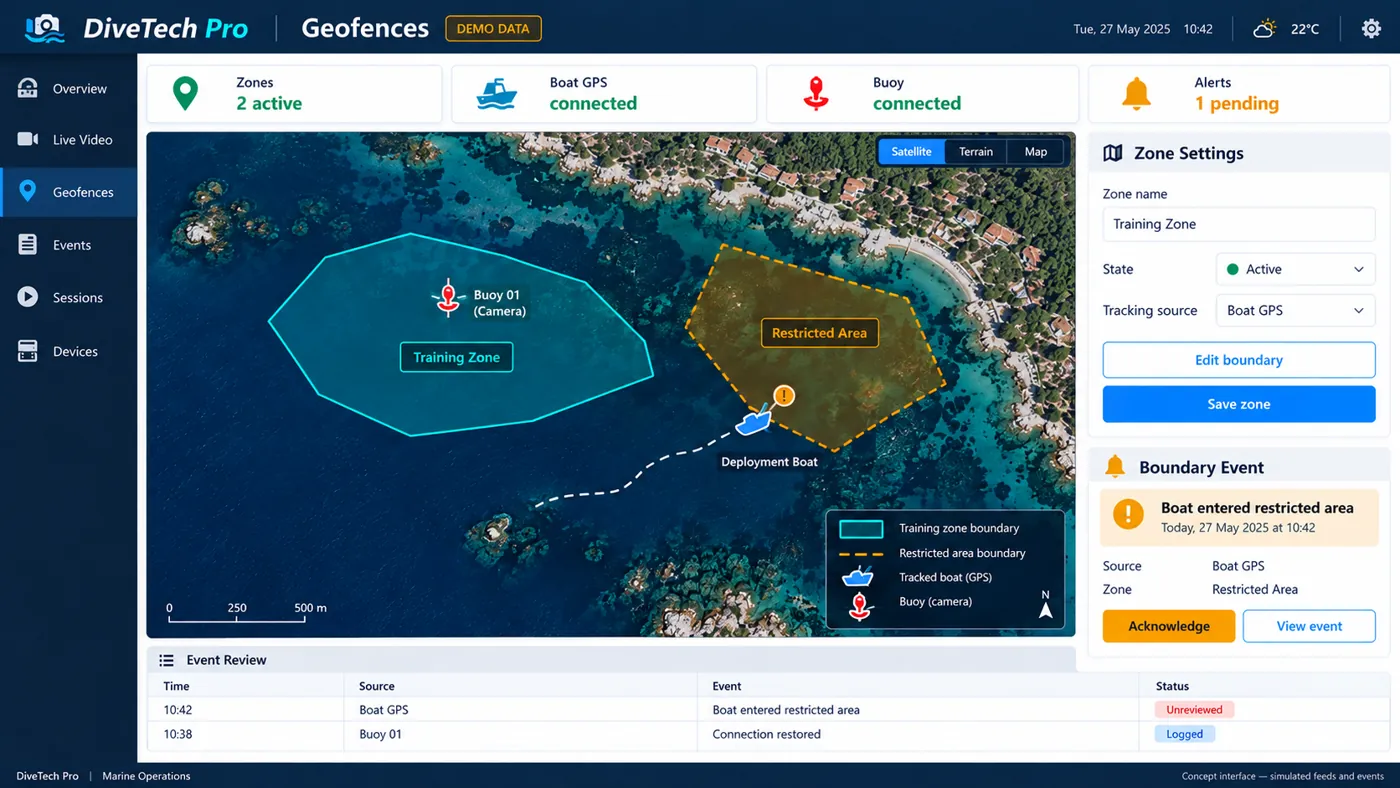
Training zone on a map
Mark a training zone and a restricted zone on the map.
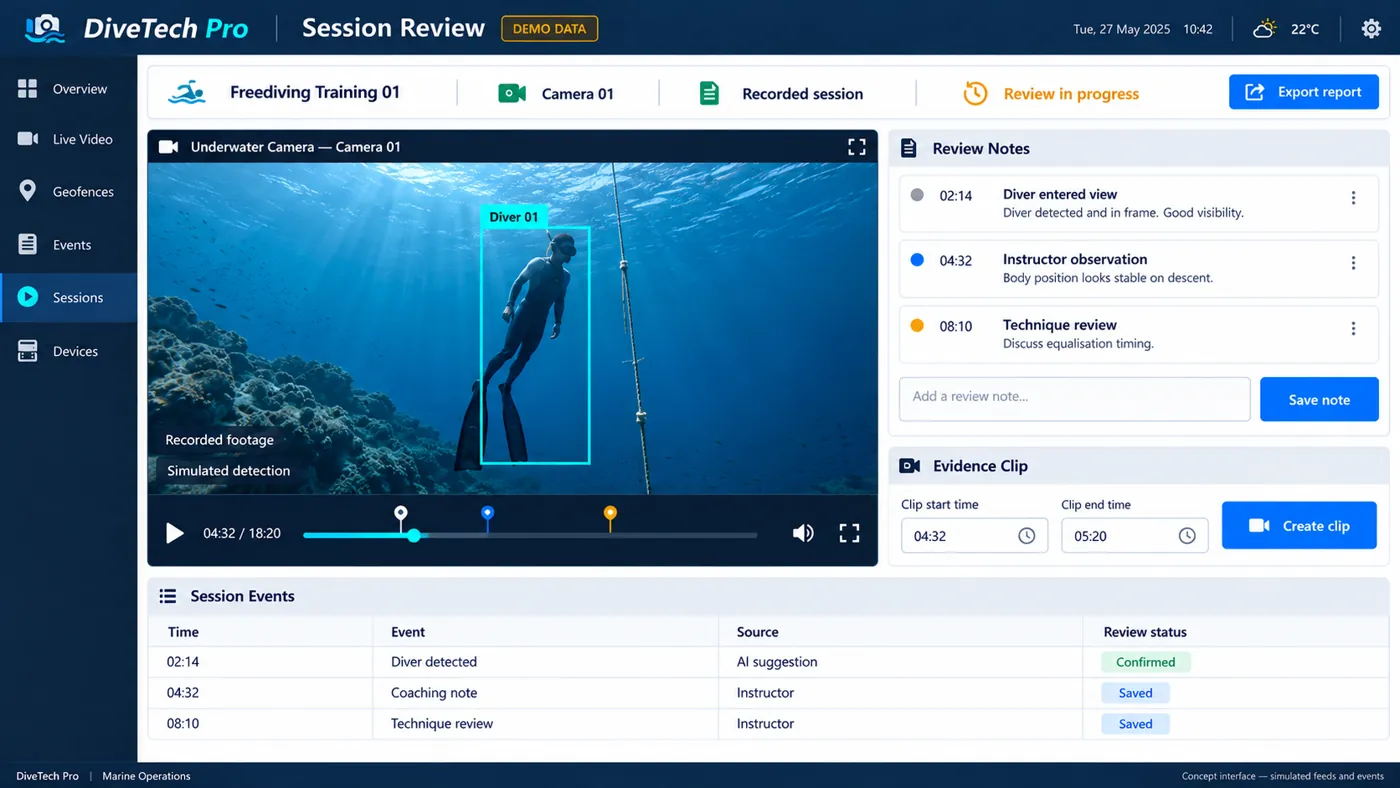
04
Review the session
Watch the recording again and add notes beside it.
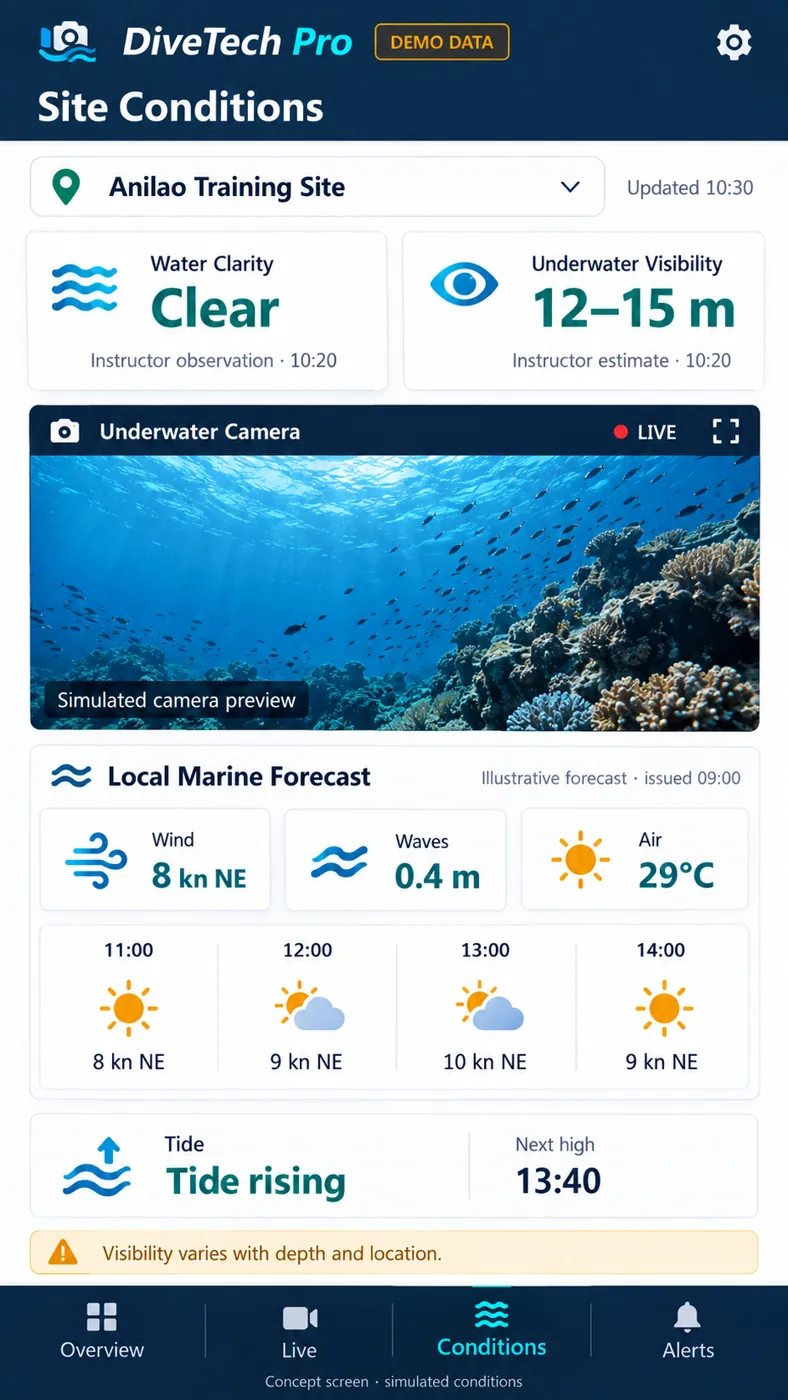
05
Site conditions
Review water visibility, weather, and local conditions.
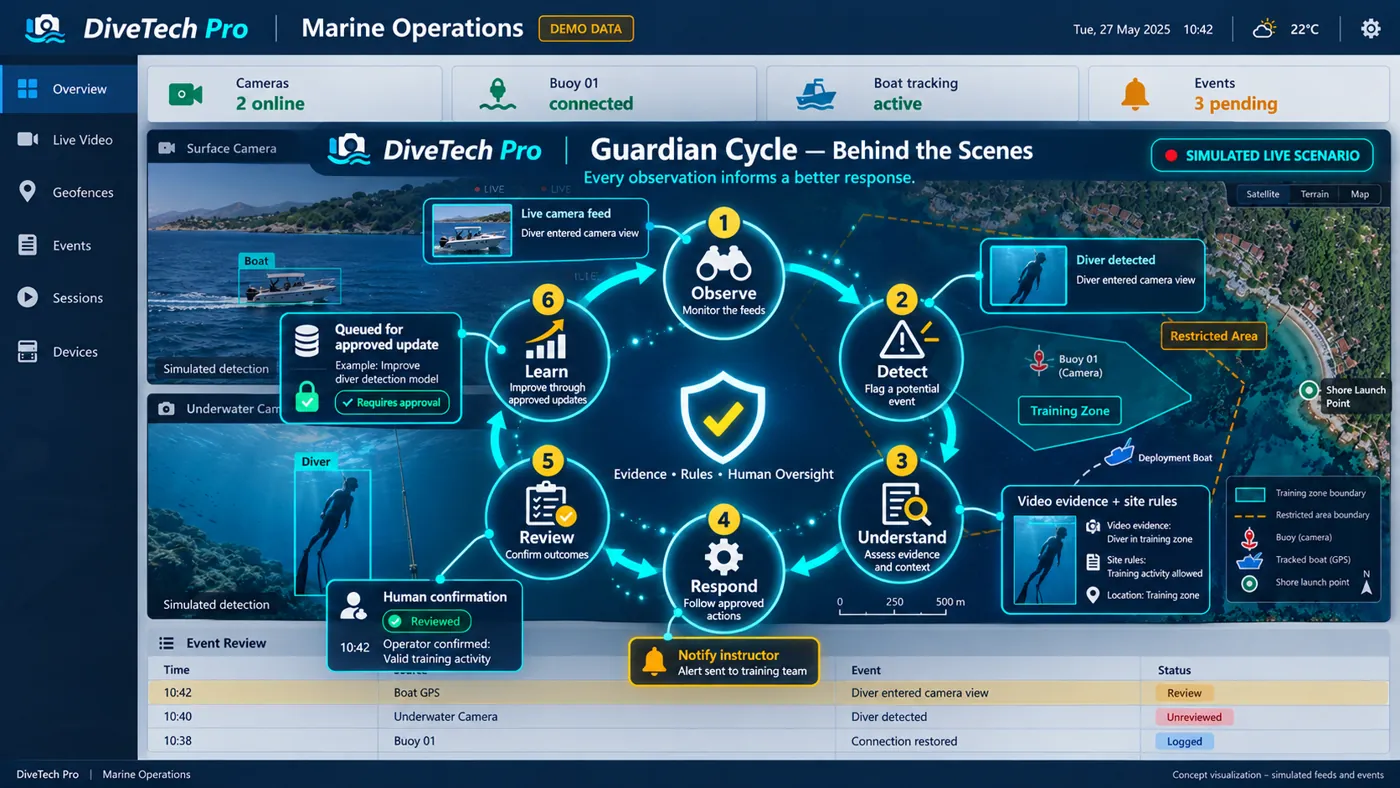
06
Guardian Cycle
Observe, detect, understand, respond, review, and learn.
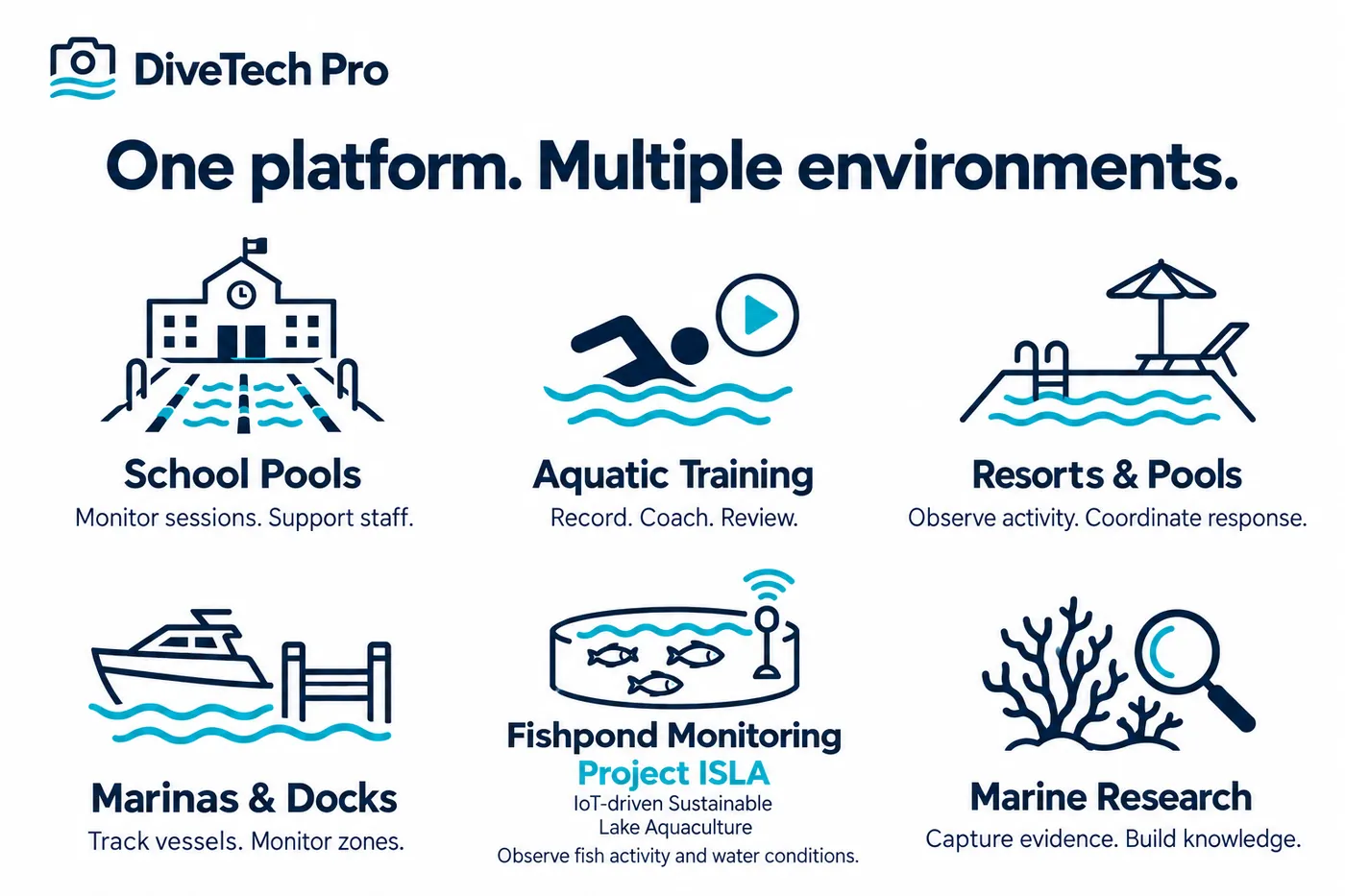
07
Applications
One platform for pools, coastal sites, and aquaculture.
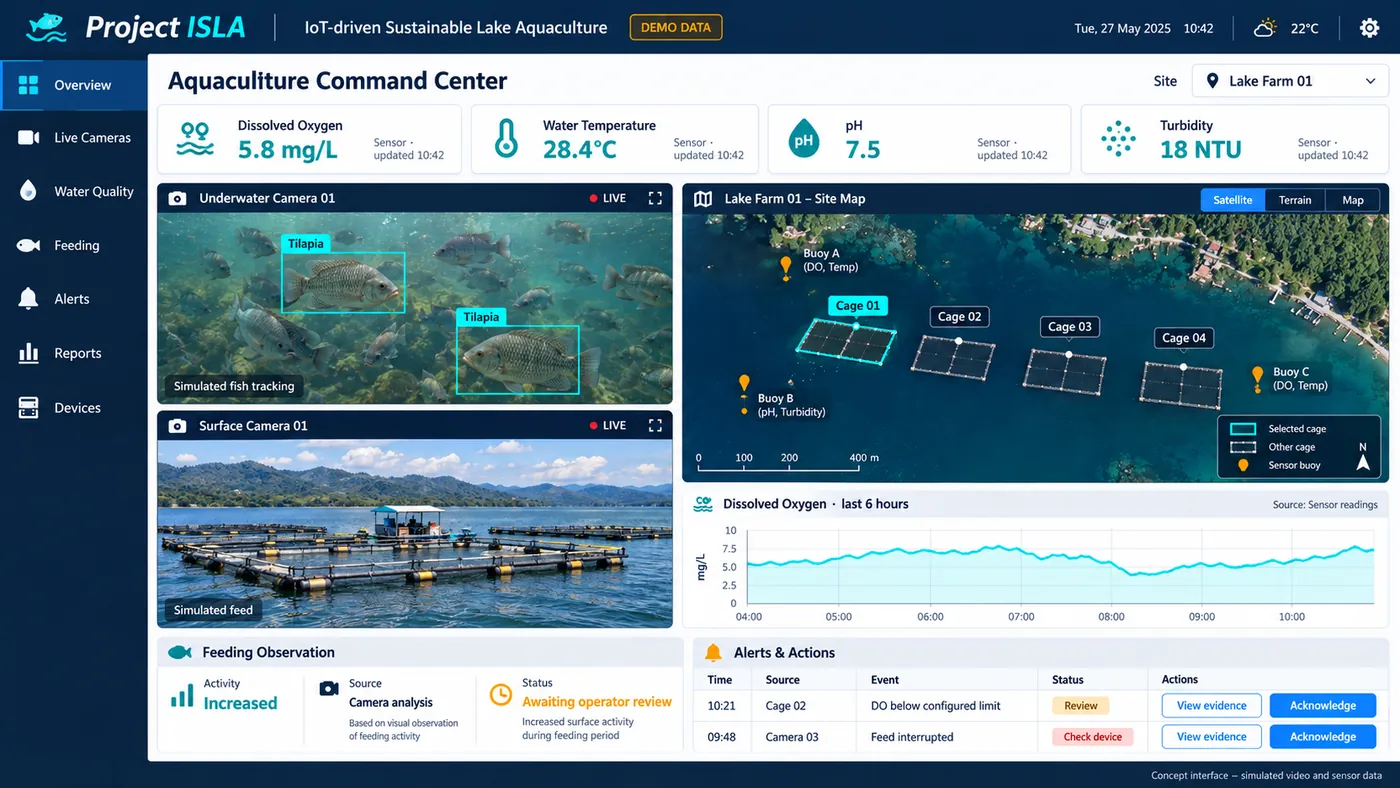
08
Project ISLA
Project ISLA, IoT-driven Sustainable Lake Aquaculture, brings fish cameras and water-quality sensors into one dashboard.
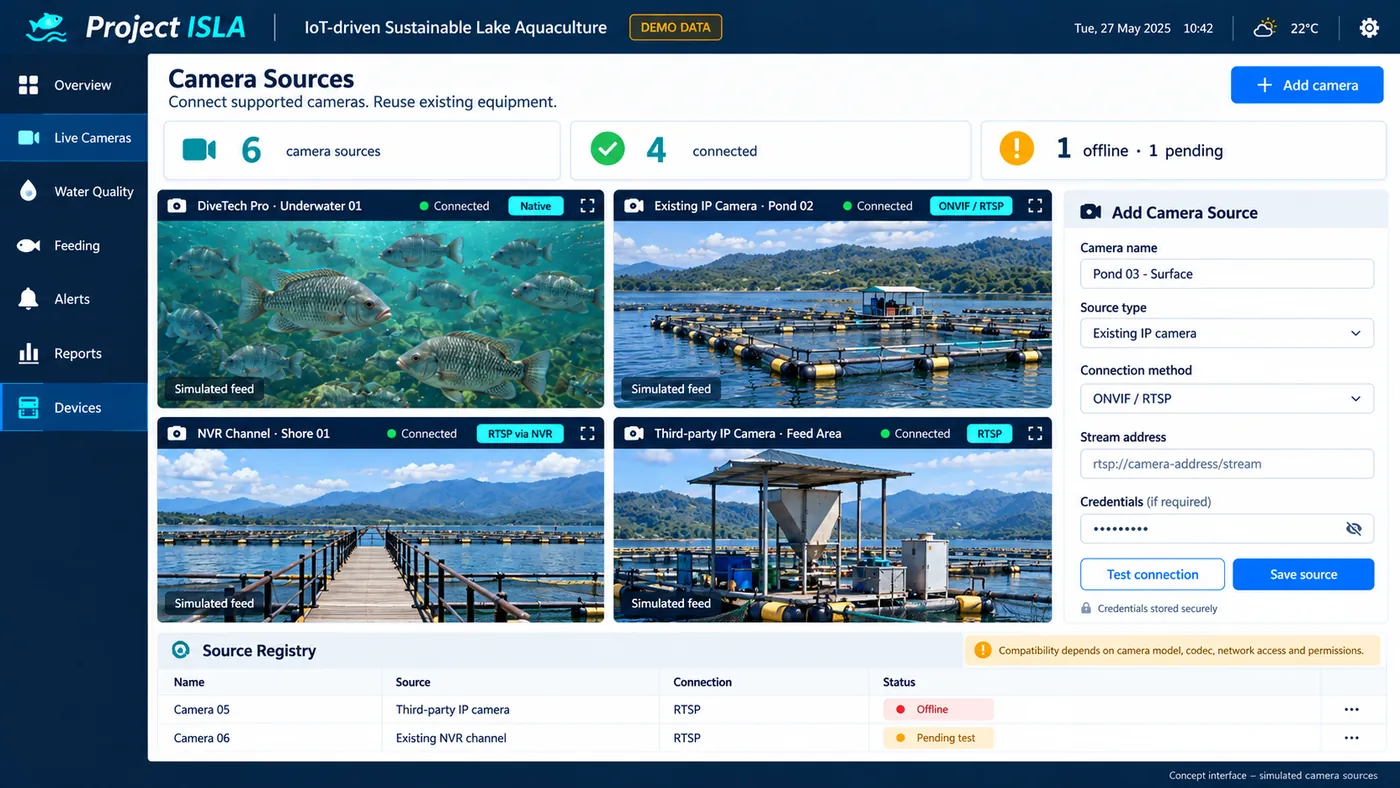
09
Camera integrations
Already have cameras? We'll check whether your IP cameras or recorder can connect.
10
Session log
Keep a private log of reviewed sessions next to the recording.
Book a private demo
Tell us about your site and what you need to monitor. Email sales@divetechpro.com to arrange a private demo.